Free
$0
For everyday notes
Download free- Notes, checklists, voice notes and scans
- Reminders, calendar and widgets
- Templates, paper and themes
- Sharing, comments and spaces
- 20 AI actions a month · 250 MB
Type, talk or snap a photo. Zimoma turns it into a tidy note and brings it back when you need it.
Offline sync first, then search v2. Ship the new editor before Diwali.
Linked from 2 notes
Design review · 11:00
Call the ryokan · 18:00
When do I need to book the ryokan?
Notebook · 12 pages
ARM
Aarav is editing Q4 roadmap
Published · zimoma.com/p/q4
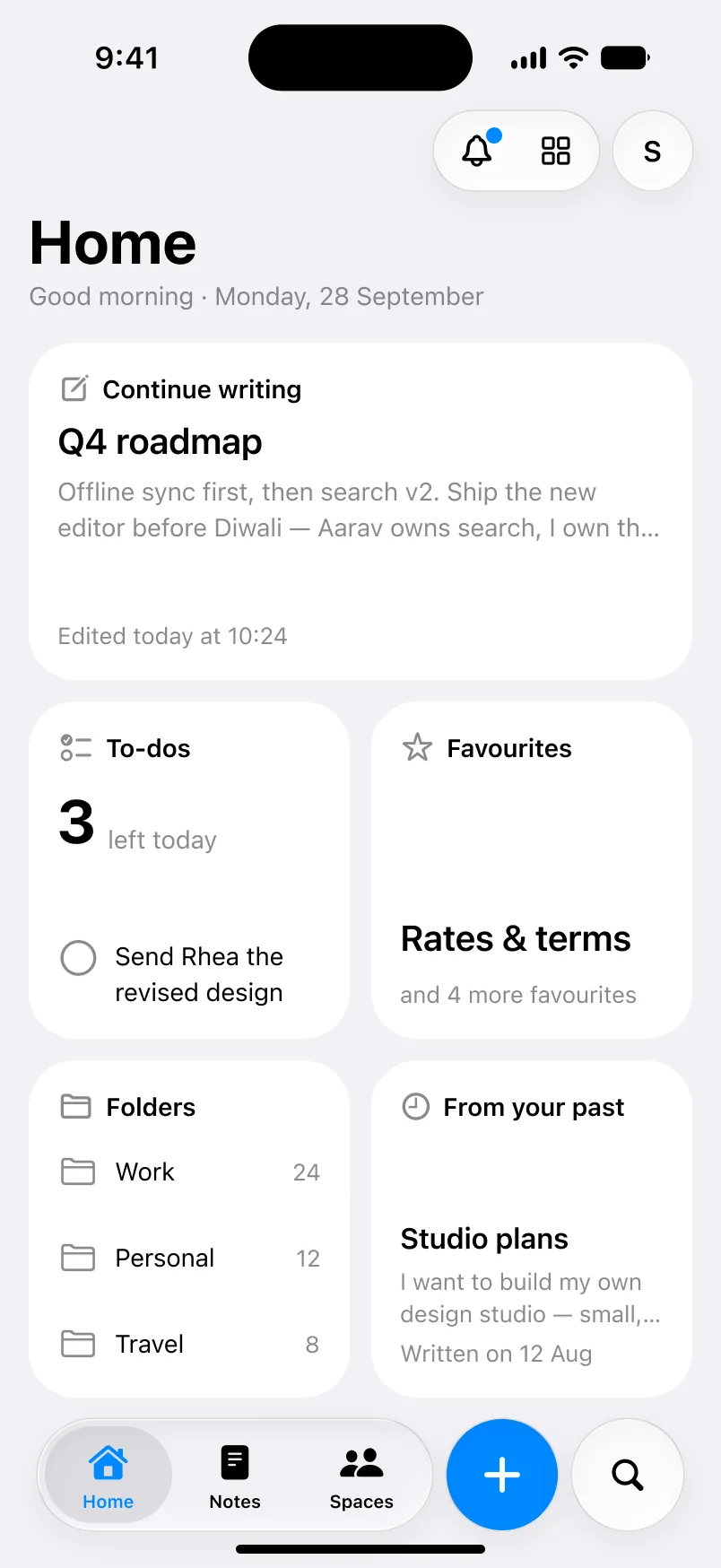
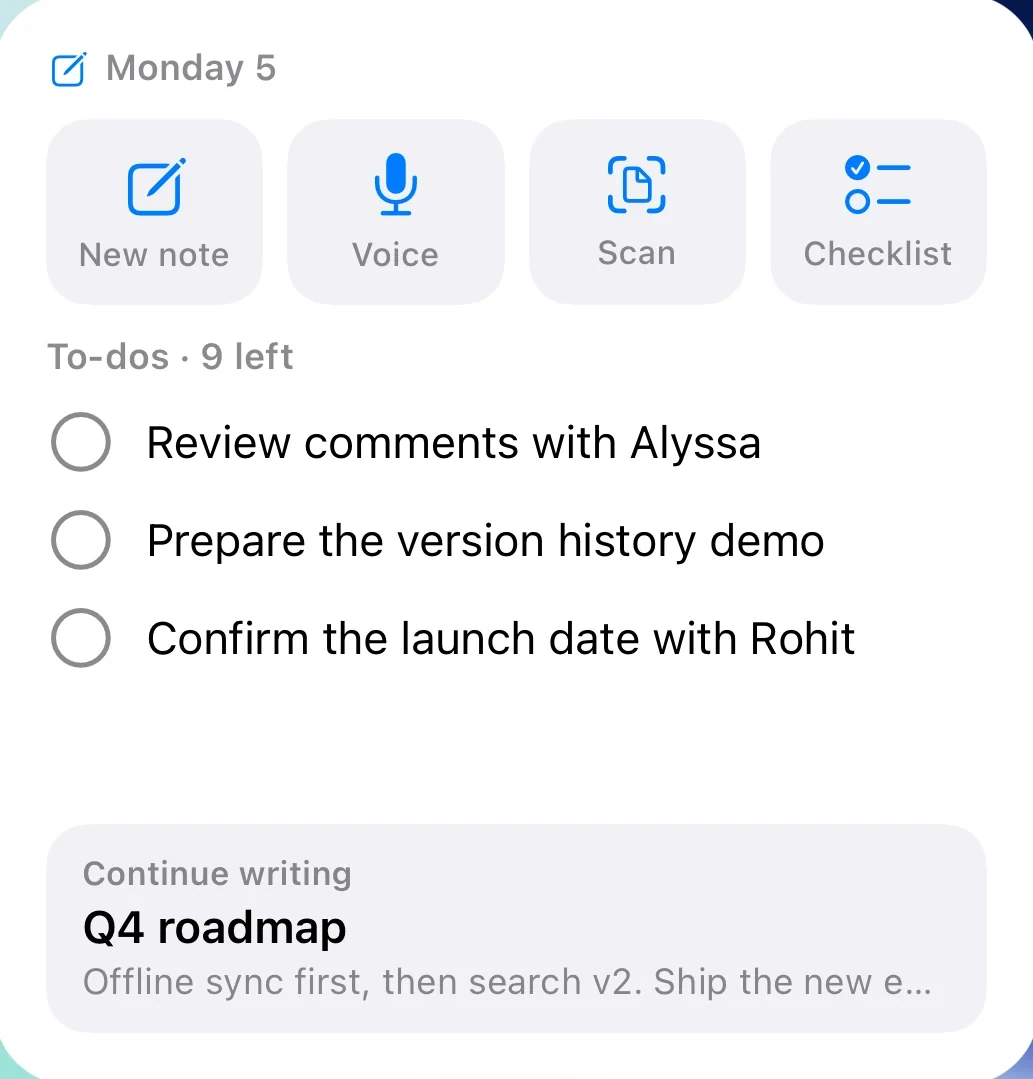
A note is only useful if you see it again. Zimoma puts it where you’ll look: on your Home Screen, in a reminder, on the calendar, or in an answer when you ask.
Ask if they can hold the room past 10 pm. The train gets into Kyoto at 9:40. Booking ref KY-2231.
Looks like a to-do Add
Send Alex the new homepage Add
Scan · 2 pagesKyoto Ryokan Arashi, confirmation
Check-in Friday, 3 October, from 15:00. Two guests, one tatami room with garden view.
Capture
However a thought arrives, it ends up in the same place: titled, sorted and ready for later. Share things in from other apps, or write by hand in a notebook.
ZimomanowBook the ryokan before the 14th.
Later
A note is only useful if you see it again. Zimoma puts it where you’ll look, and brings older notes back with a reason, like a year ago today. Saved searches, Rules and Archive keep the rest in order.
Up early for Fushimi Inari before the crowds. The gates go on far longer than the photos suggest.
Yours
Paper that looks like paper, in a theme you choose. Try it on the note beside this.
Ask · Pro
Answers come from what you wrote, with links to the notes they came from. Keep a question as a thread and carry on later, and Ask remembers the people, dates and decisions in your notes. Smart search finds notes by meaning, not just the words.
On every plan, the writing assistant improves, proofreads or translates what you wrote, or turns it into a checklist, a table, slides or an email. Review sums up your day or week. Each uses one AI action.
When do I need to book the ryokan?
From your notesBefore the 14th. Your JR passes arrive Tuesday and Hakone comes after Kyoto, so the ryokan needs booking this week.
1Japan, ten days2Ryokan booking
Is anything else still open for Kyoto?
From your notesTwo things: lunch at Nishiki market, and calling the ryokan about late check-in.
3Kyoto, day three4Call the ryokan
Zimoma for
Pricing
$0
For everyday notes
Download free$24.99a year
Or $2.99 a month
Download on the App StorePro is bought inside the app. Prices here are in US dollars; yours is shown before you subscribe and varies by country. The free week is for new subscribers to the yearly plan. Compare plans
Questions
In your account on Zimoma’s server, so they appear on every device you sign in to. They are not in Apple iCloud.
Yes. Notes you write offline are kept on the iPhone and upload when you’re back online.
For now, yes. Zimoma is on the App Store for iPhone, for iOS 17 or later. Apps for iPad, Mac, Windows and Android are being built. Devices
Yes. Settings › Import turns a whole export from Notion, Evernote or Bear into notes, folders and collections. Settings › Export saves your notes as files you can keep anywhere, a note can go out as a Word document, and a notebook as a PDF.
Deleted notes wait in Notes › Recently deleted for 30 days. Open one and tap Recover. To put a note out of the way without deleting it, archive it instead.
On the App Store
Zimoma is free on the App Store for iPhone. Pro is inside the app when you want more.
Download on the App Store